- Navigate to the folder/grid containing the document.
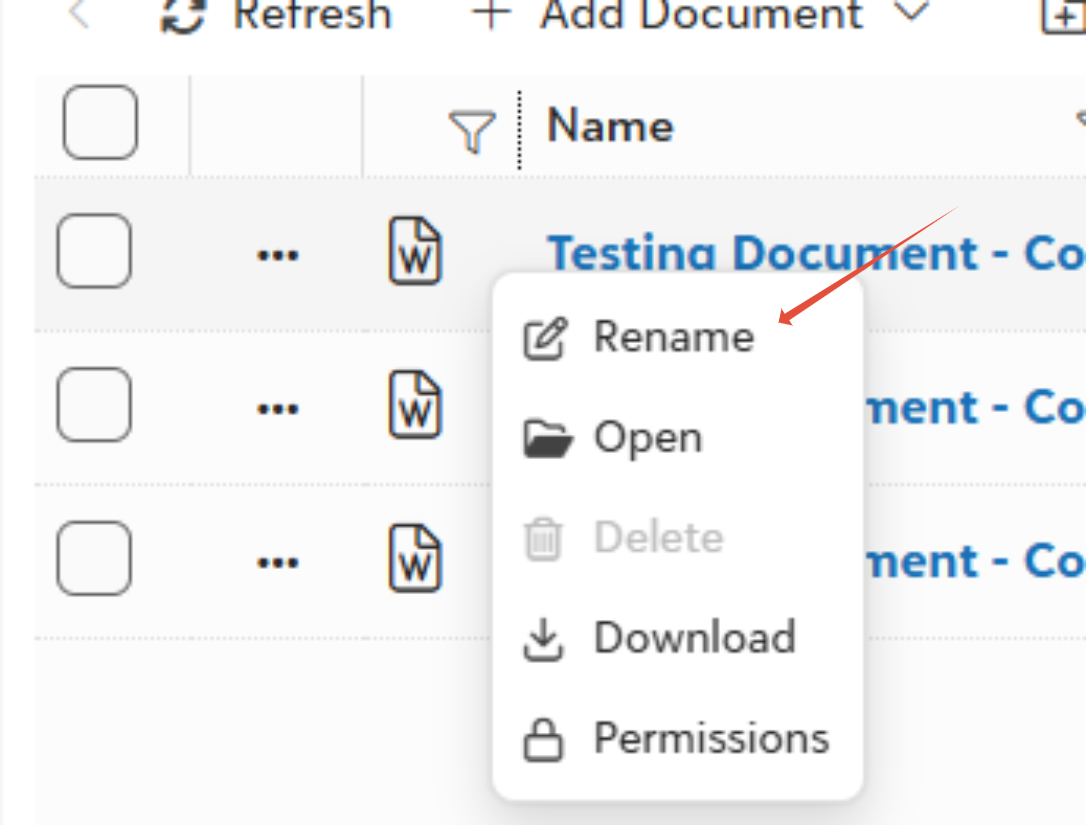
- Right-click on the document you want to rename and select Rename.
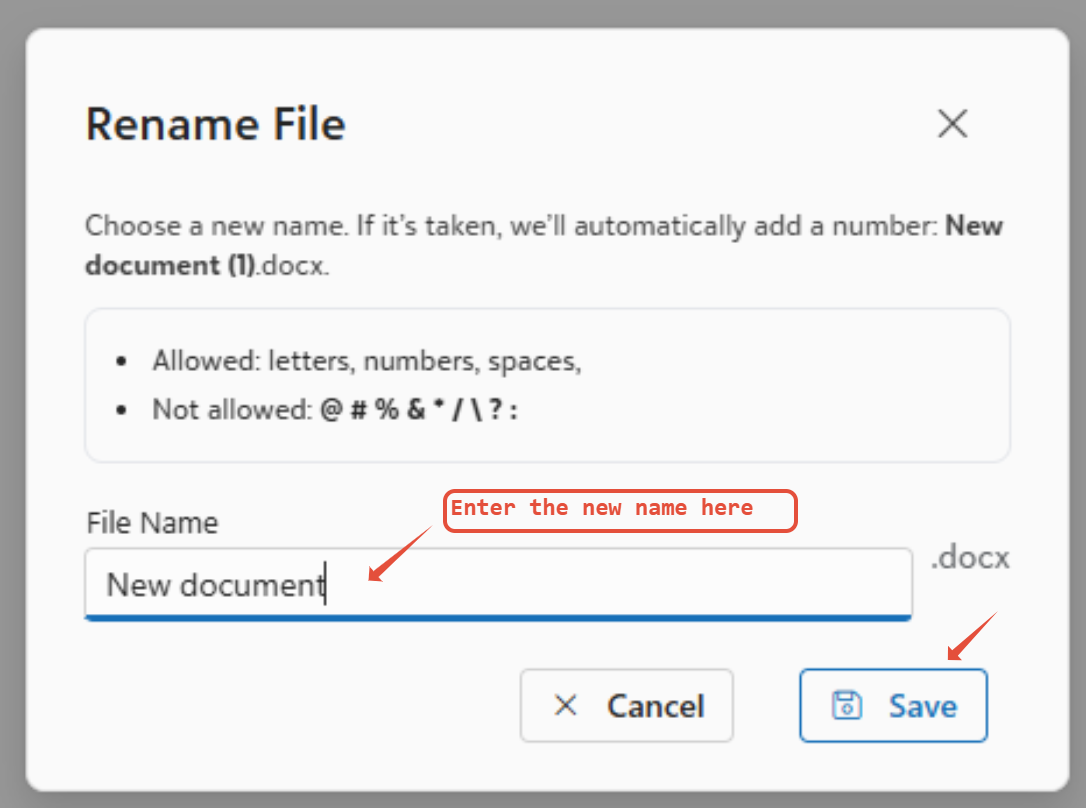
- A dialog box opens—enter the new name.
- Enter the new name for the document.
- Press Enter or click Save—changes apply instantly across searches and views.
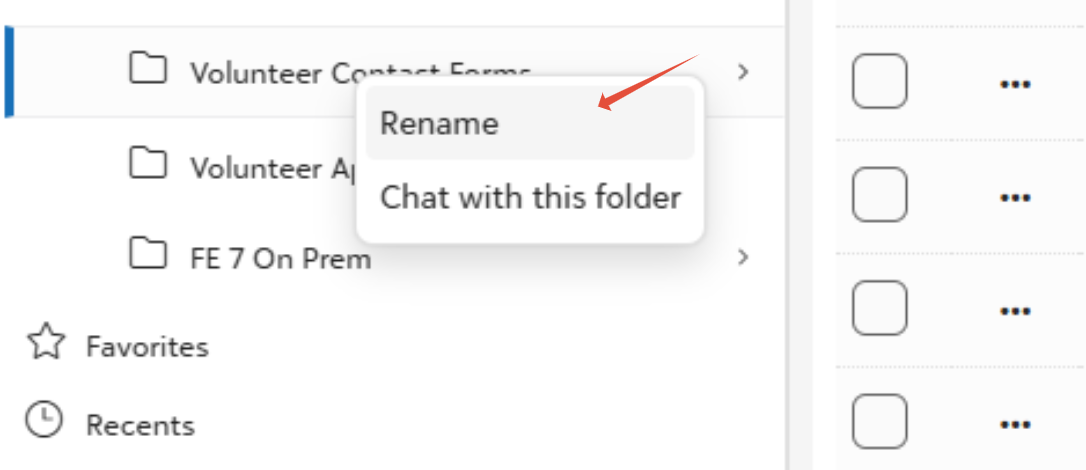
- Similarly you can Right-click on a folder or integration to rename it.
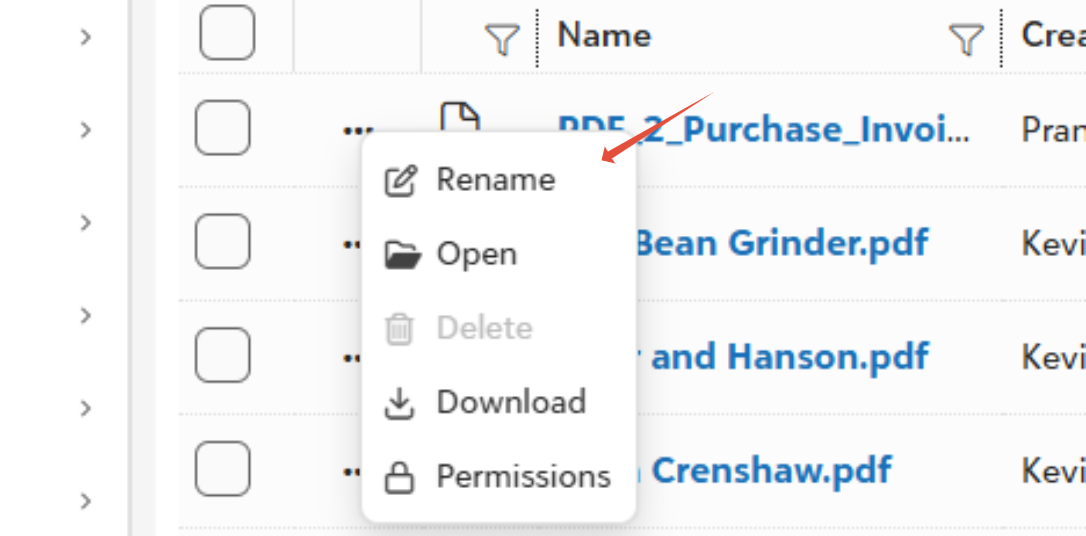
- Alternatively you can click on the three dots to get similar options which will help you rename.
Was this article helpful?
That’s Great!
Thank you for your feedback
Sorry! We couldn't be helpful
Thank you for your feedback
Feedback sent
We appreciate your effort and will try to fix the article