What this Integration does?
- Turns rows from a selected SQL table or view into records that documents can be linked to inside AiryDocs.
- Maps table columns to record properties so users can search, browse, and choose the right record when attaching a document.
1. Create a new SQL Integrated app
- In the Admin section, open the Integrations tab and click + New.
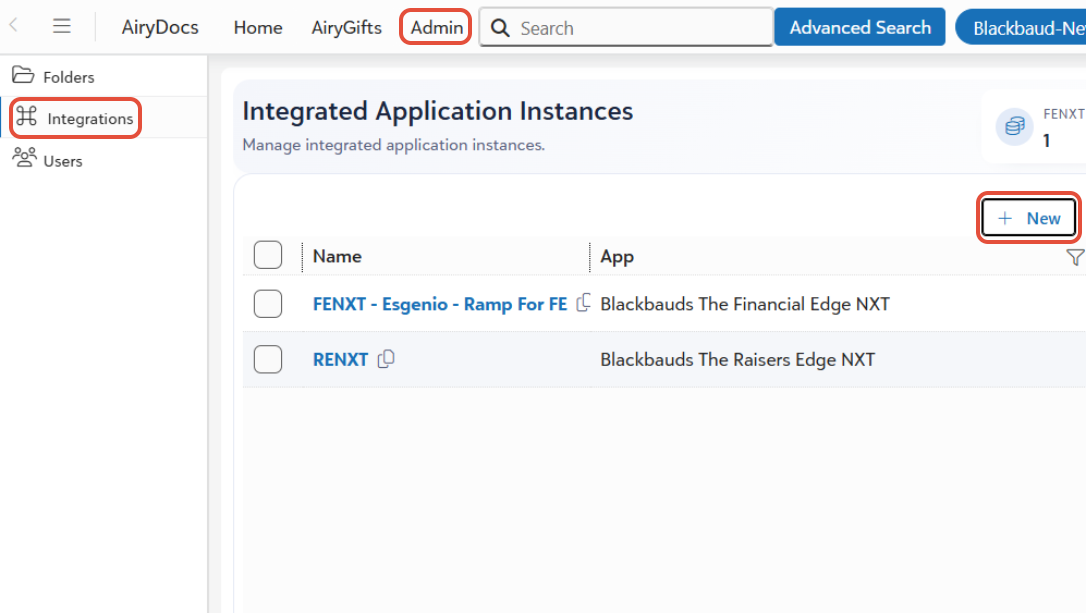
- A setup dialog will open.
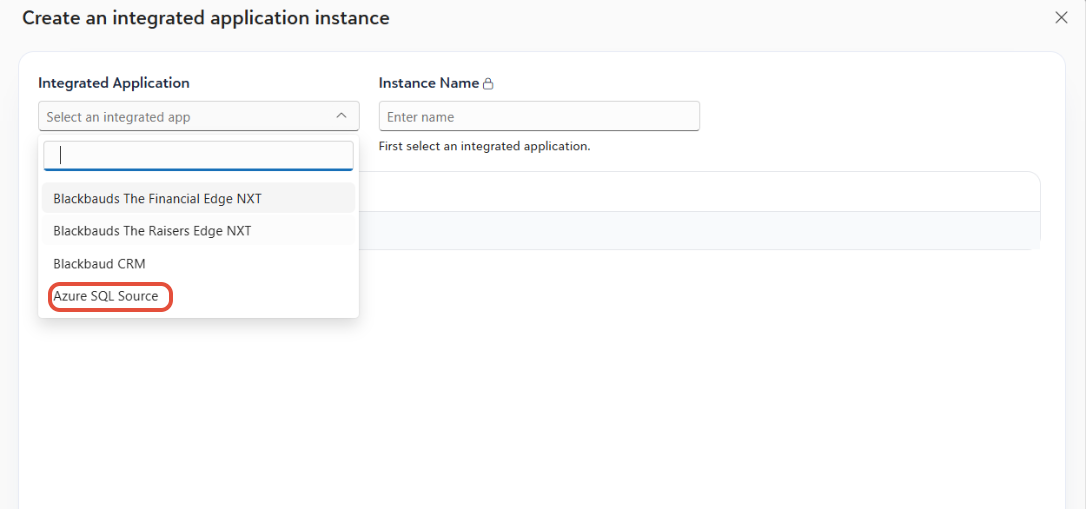
2. Select the SQL source type
- Under Integrated Application, select Azure SQL Source.
- When prompted, enter the following details:
- Host name
- Database name
- Username
- Password
- Instance Name- this becomes the name of the root folder in AiryDocs.
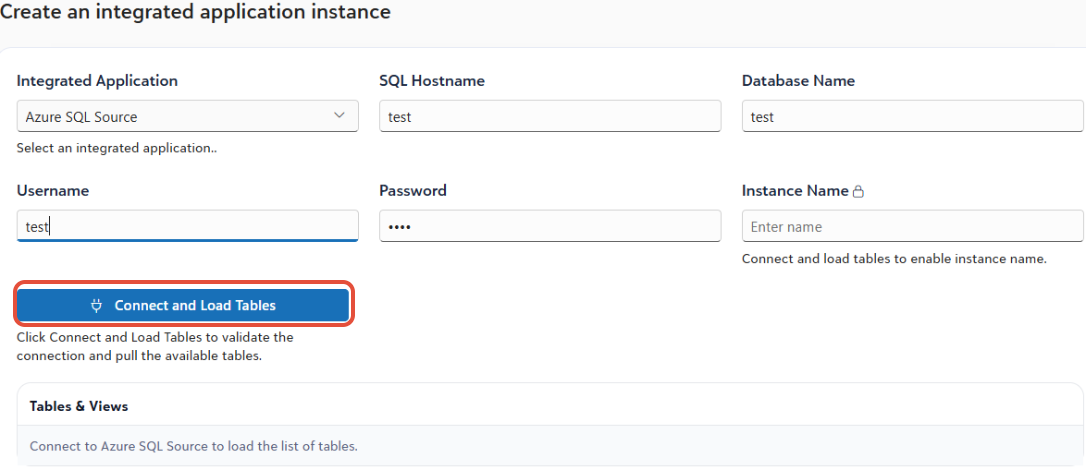
- Once all details are entered, click Connect and Load Tables. AiryDocs will connect to the database and load the available tables and views. AiryDocs can connect to publicly accessible SQL sources.
3. Select the tables or views to connect
- After the connection is successful, AiryDocs will display the available tables and views from the database.
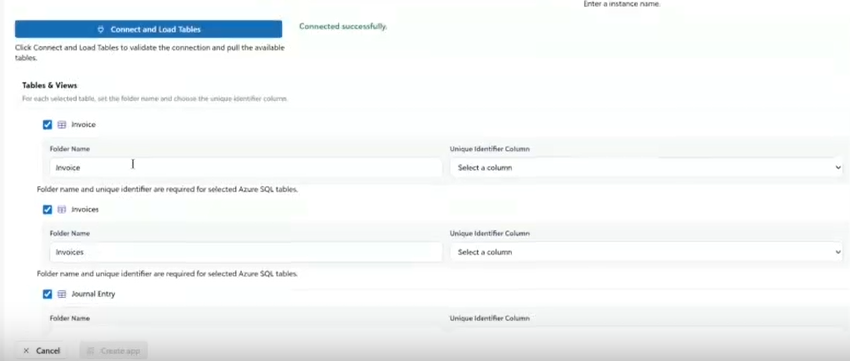
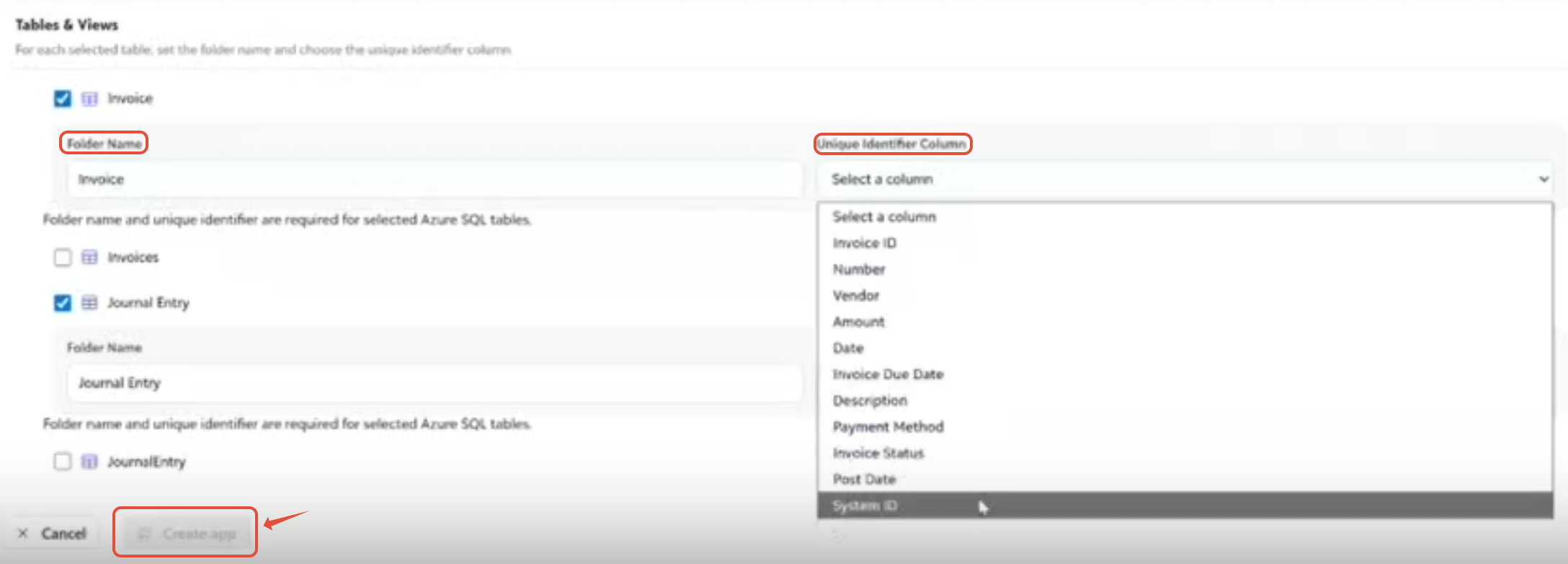
- From this list, select the tables or views you want to connect to AiryDocs.
- In the Folder Name column, you can optionally change the folder name if you want it to appear differently in AiryDocs than it does in the source database.
4. Choose the unique identifier
- For each selected table or view, choose the column that should be used as the Parent ID / Unique Identifier.
5. Create the app
- Once you have:
- entered the connection details.
- selected the tables or views.
- updated folder names if needed, and
- assigned the unique idenified column,
- click Create App.
6. Confirm the folder in AiryDocs
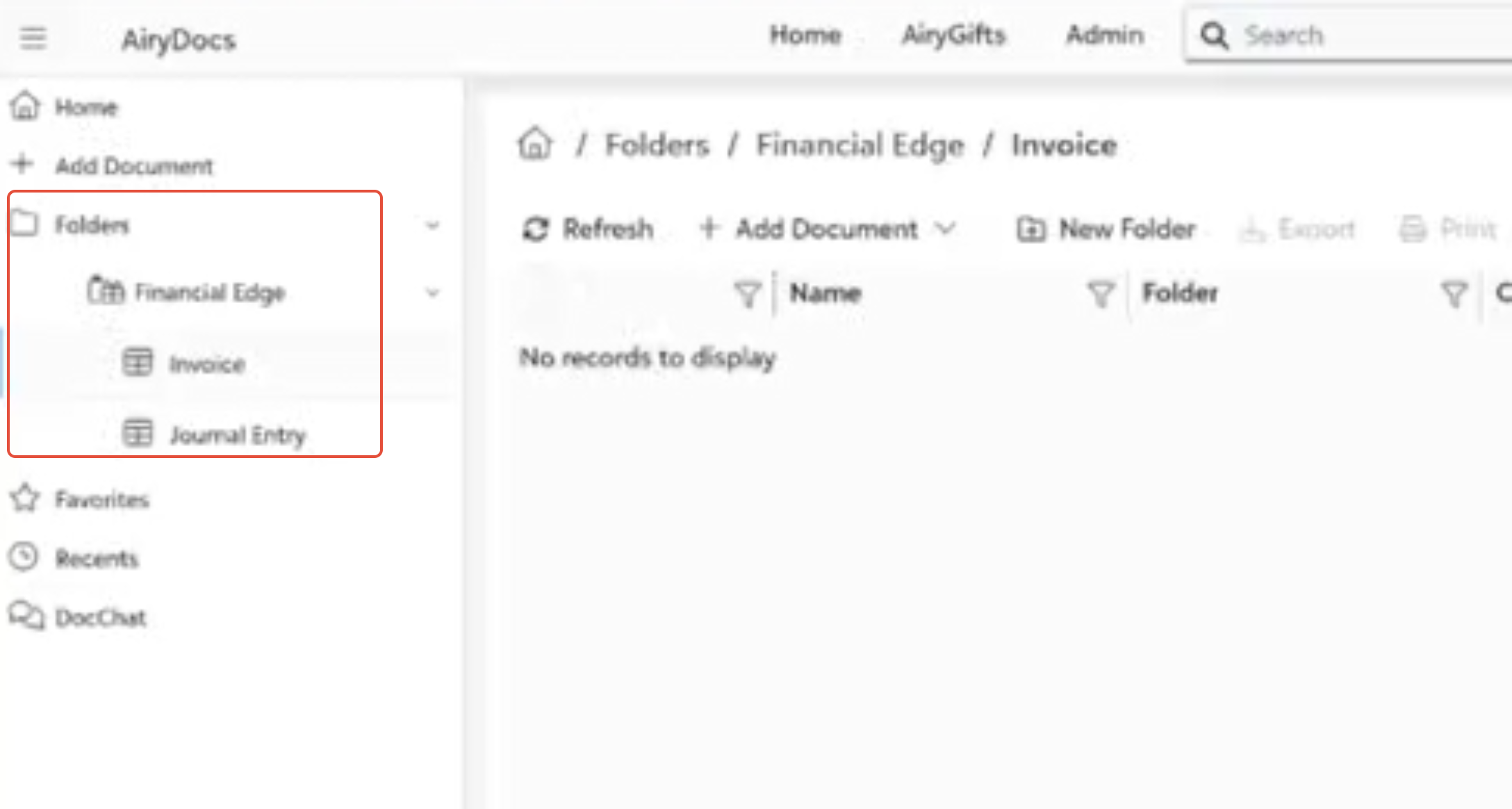
- After the app is created successfully, the connected folders will appear in AiryDocs under the configured root folder.
Was this article helpful?
That’s Great!
Thank you for your feedback
Sorry! We couldn't be helpful
Thank you for your feedback
Feedback sent
We appreciate your effort and will try to fix the article