Method 1
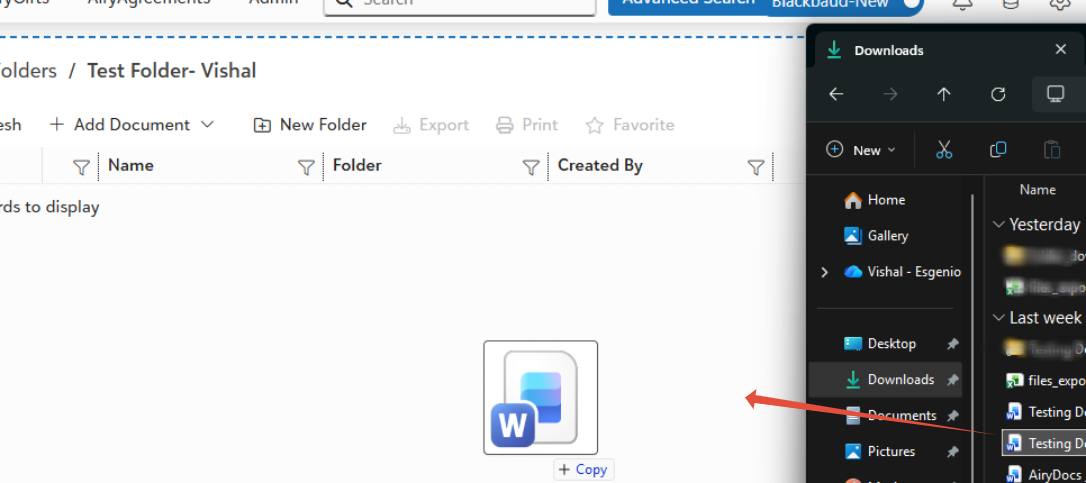
- Drag & Drop (Fastest).
- Drag files from desktop →folder.
Method 2
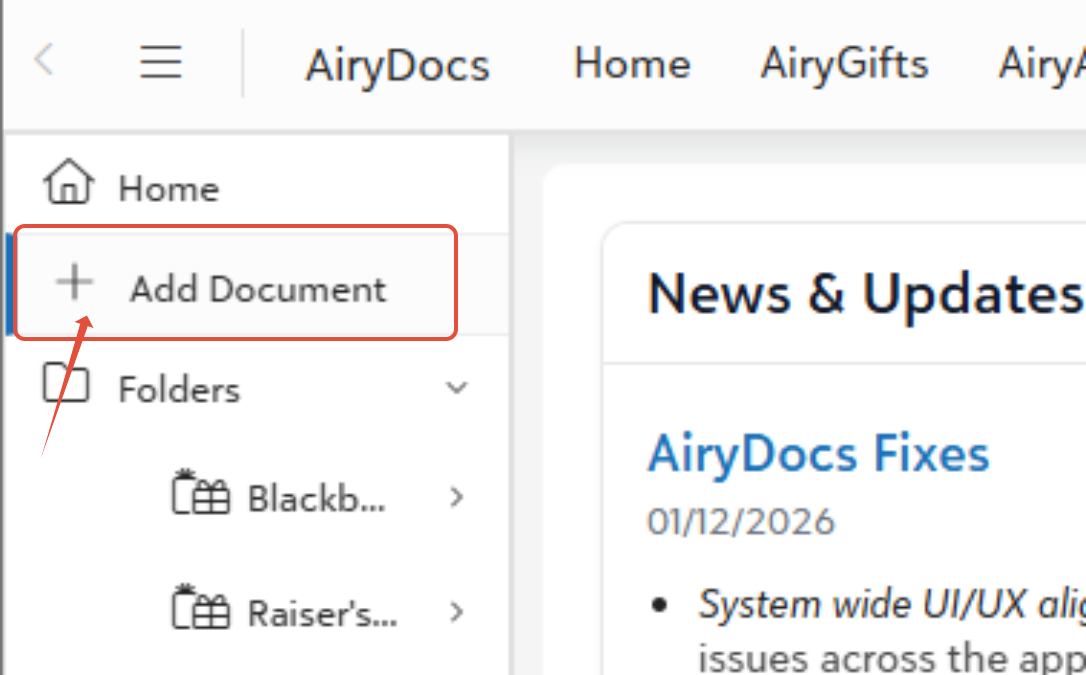
- Left Sidebar: Click + Add Document.
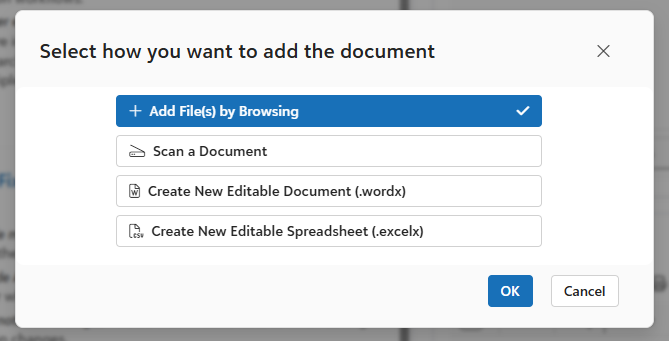
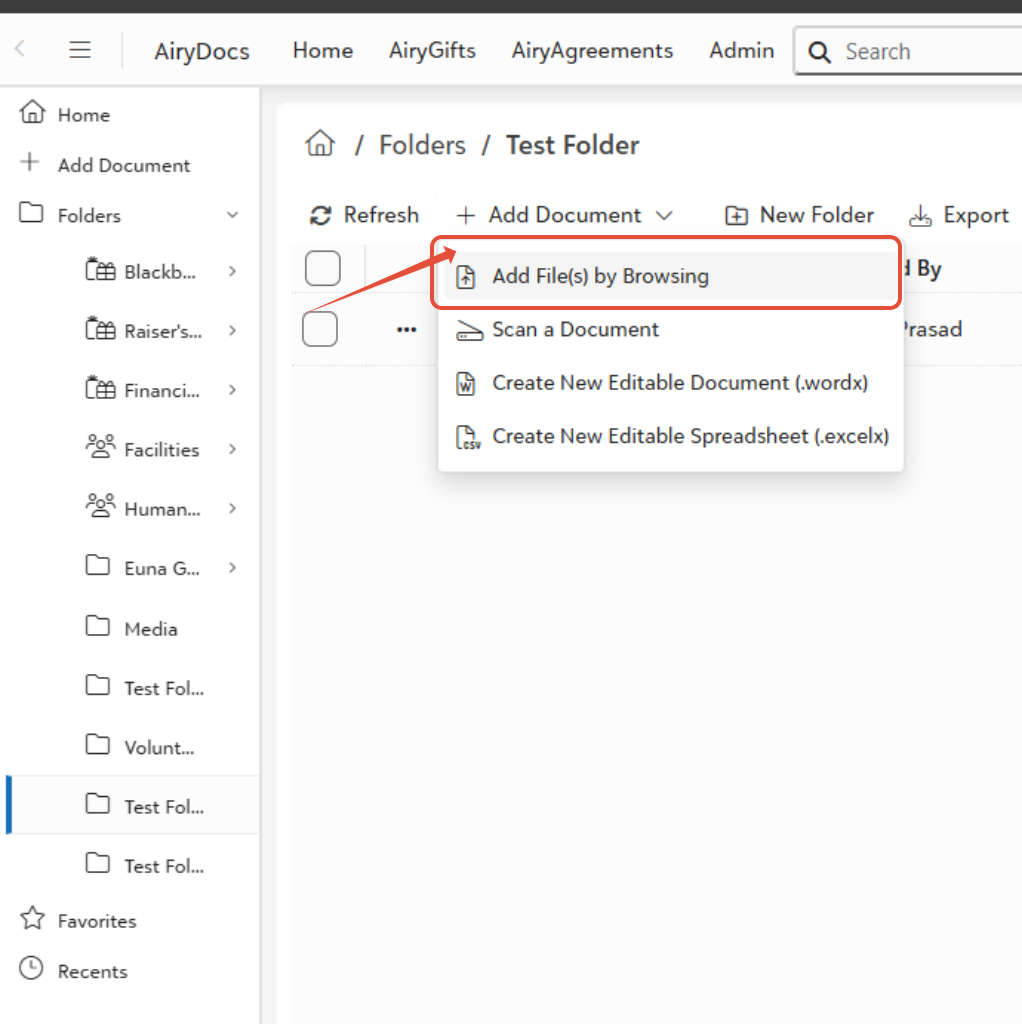
- Select Folder: Click + Add File(s) by browsing.
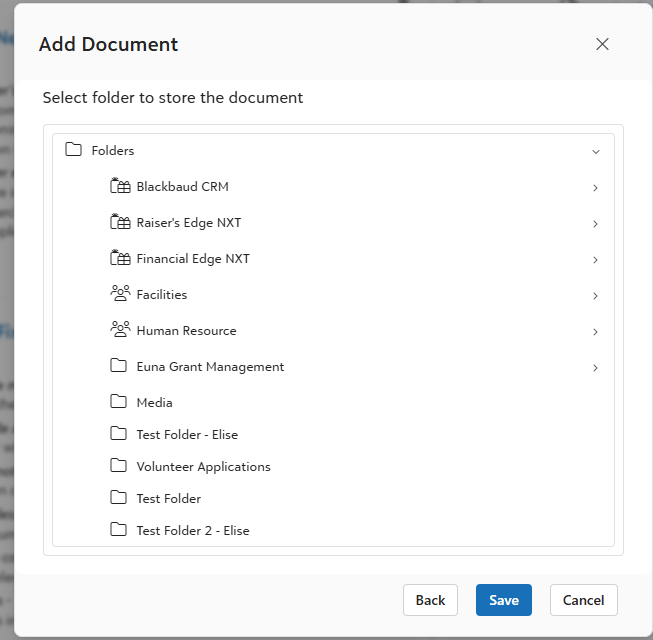
- Select the Folder you want to add the document in.
- Upload the document.
Method 3
- Go to the folder that you want the document to add in and click + Add Document.
- Follow the same steps from Method 2 after.
Was this article helpful?
That’s Great!
Thank you for your feedback
Sorry! We couldn't be helpful
Thank you for your feedback
Feedback sent
We appreciate your effort and will try to fix the article