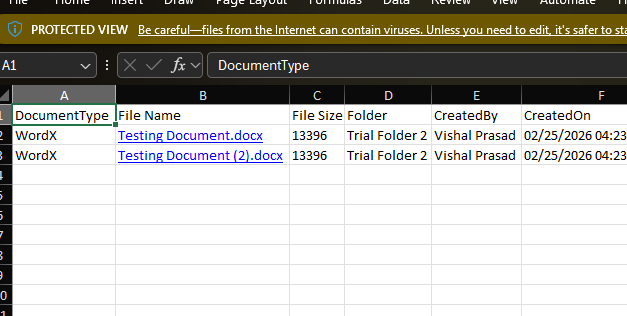
Exporting lets you export your entire grid list to an Excel file for offline viewing, reporting, or record-keeping.
- Navigate to the specific folder containing the grid list you want to export.
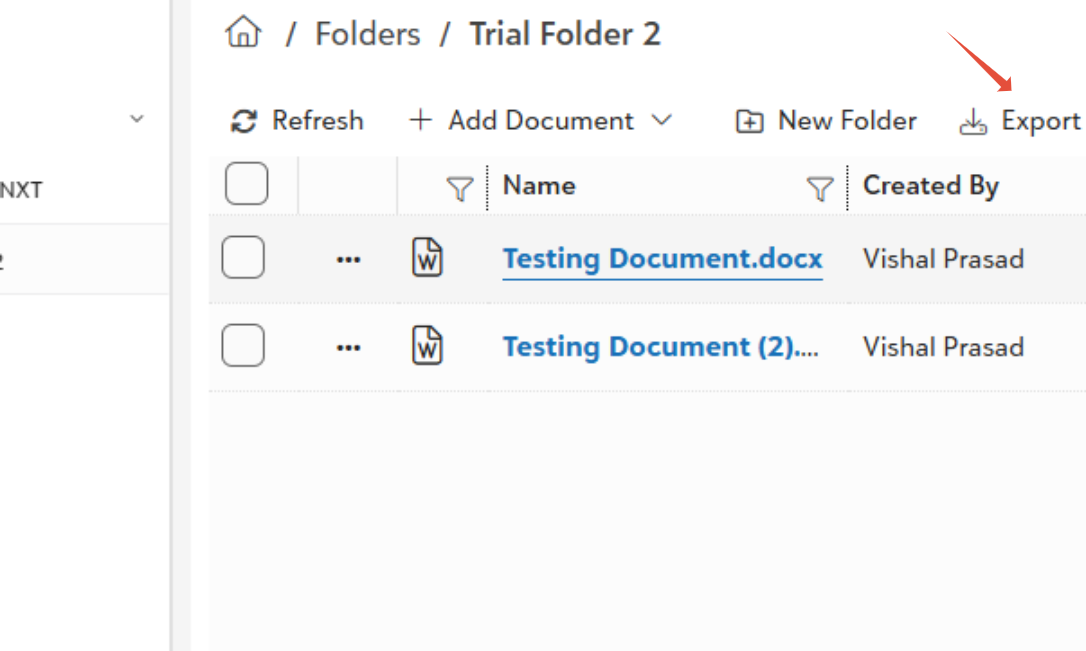
- Click on export icon located on the top toolbar.
- You will receive two notifications; locate the one that includes the Download option.
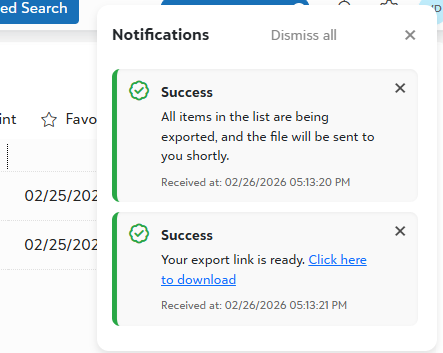
- Click Download to save the Excel file to your device.
- The File Name in Excel acts as a direct link. Clicking on the file name will instantly open the file in portal view mode.
Was this article helpful?
That’s Great!
Thank you for your feedback
Sorry! We couldn't be helpful
Thank you for your feedback
Feedback sent
We appreciate your effort and will try to fix the article