Single File
- Login to your AiryDocs account.
- Navigate to the file you want to open.
- Click directly on the document title to open it in the viewer/editor.
- Alternatively you can click on the three dots (...) to open the file.
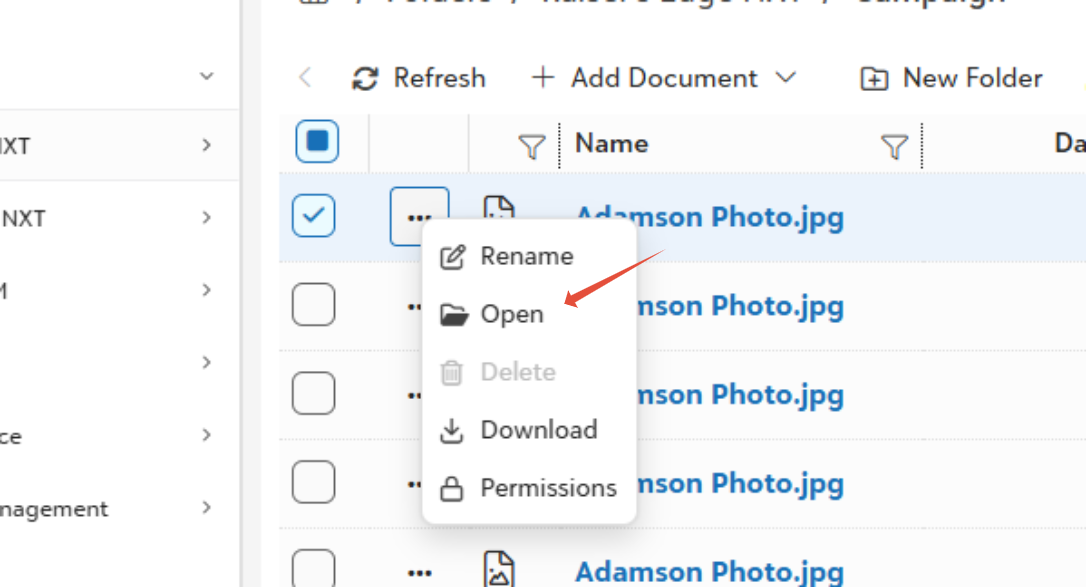
- Right clicking on the file will also give you similar options.
Multiple File
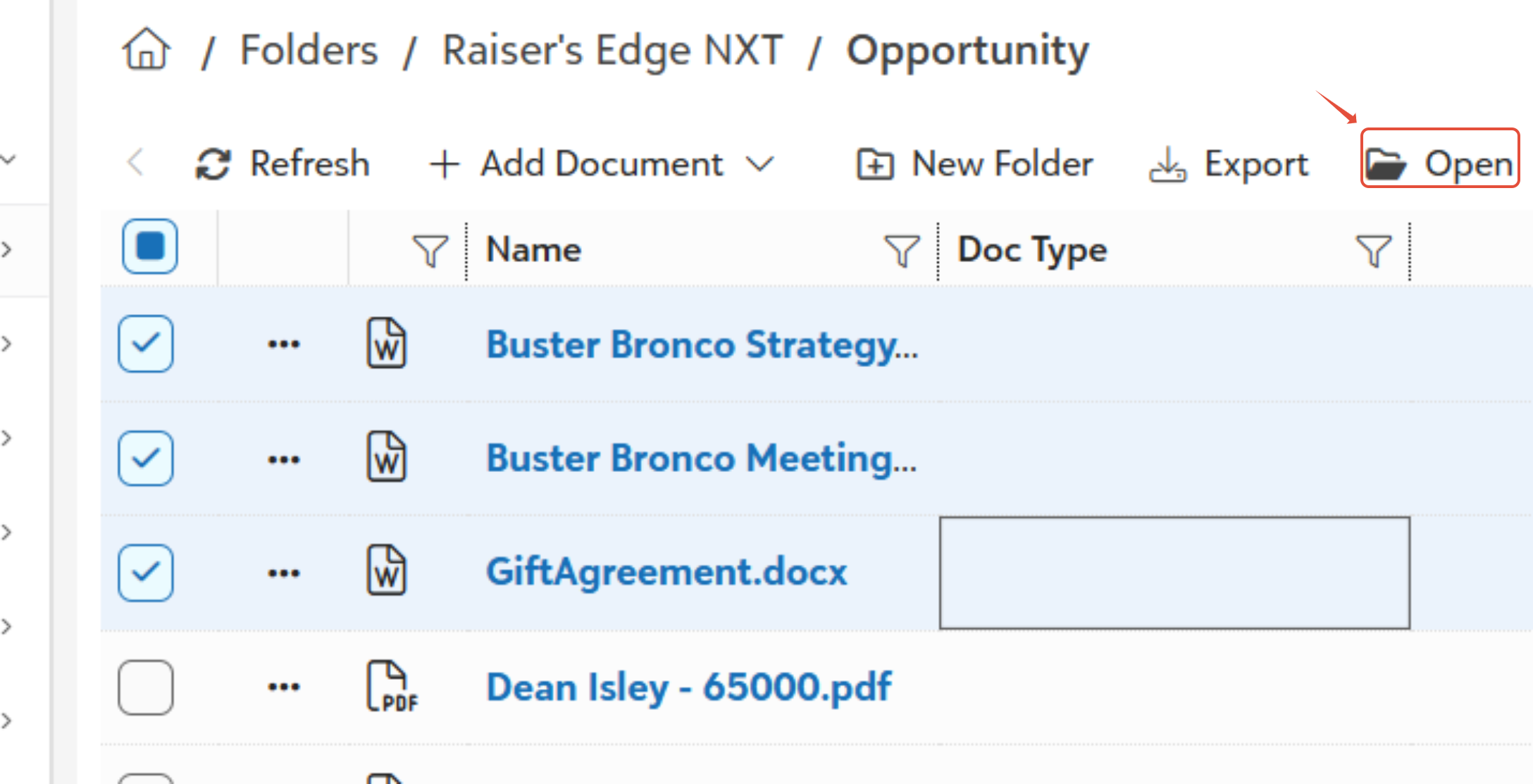
- Select the files you want to open.
- Click on the open icon.
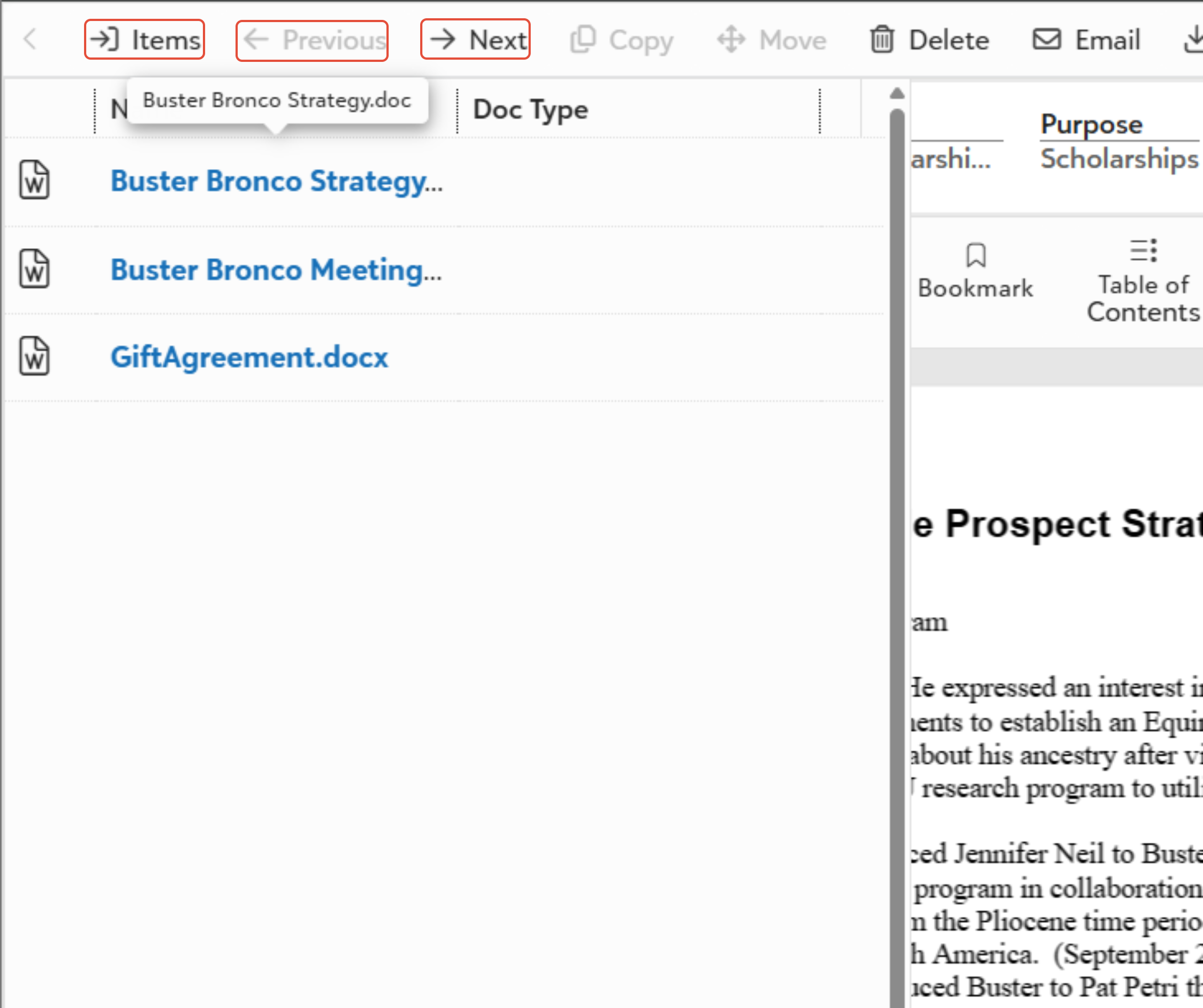
- To move between files, use the Items panel on the left or click Previous and Next at the top of the page.
Was this article helpful?
That’s Great!
Thank you for your feedback
Sorry! We couldn't be helpful
Thank you for your feedback
Feedback sent
We appreciate your effort and will try to fix the article