Admin Guide: User Management & Creation:
- Accessing the Admin Panel, Creating Users, and Role Permissions.
- The User Management is restricted to accounts with Administrator privileges.
Accessing User Management
- Login into the system using your Admin credentials.
- Navigate to the Admin Panel from your main dashboard.
- Select Users option to open the management directory.
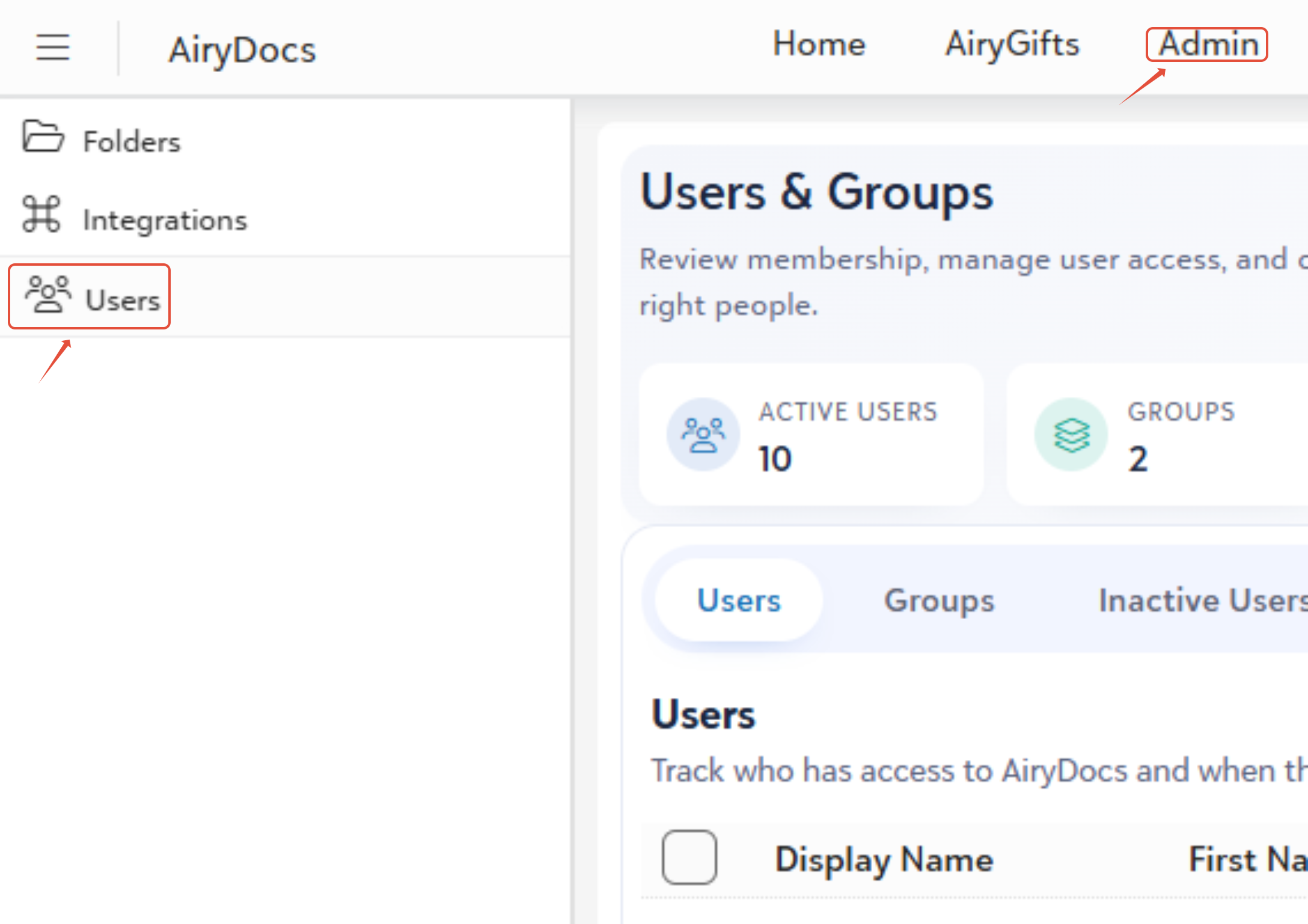
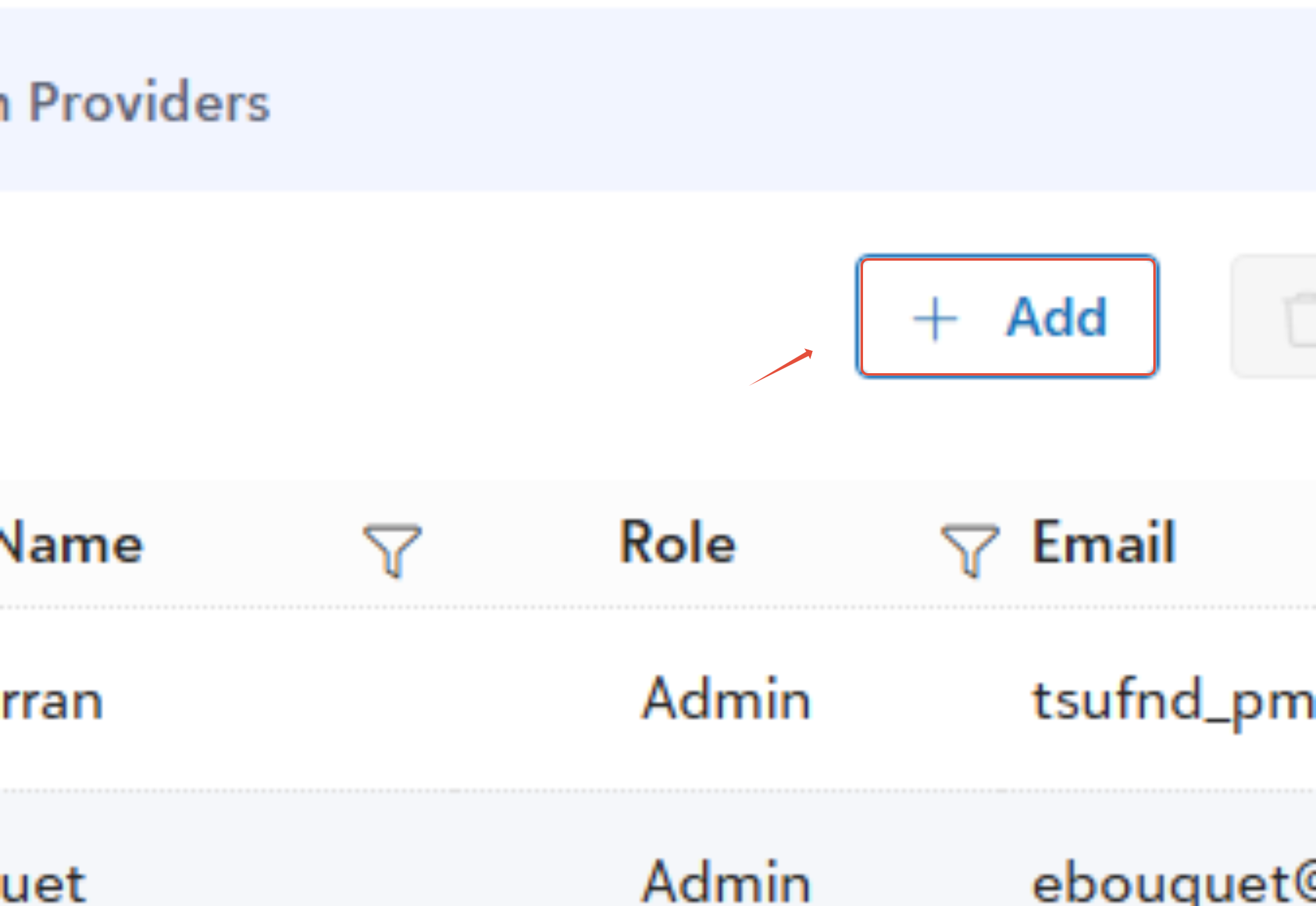
Creating a New User
- From the Users menu, click the + Add button.
- Enter the required user details and assign the appropriate system role (Admin or User).
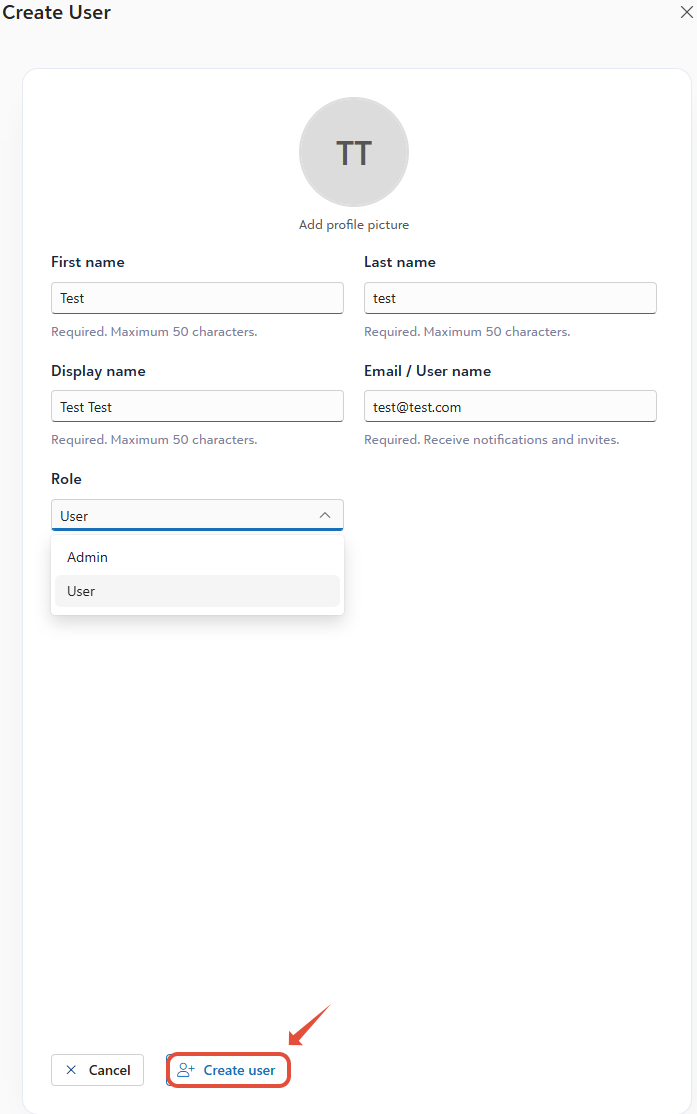
- Click + Create User to finalize the creation.
System Role Definitions
Admin
- Full administrative access across the platform.
- Can create, edit, and manage other users.
- Can create and manage user groups.
- Can configure system-wide permissions.
- Can change folder ownership.
- Can manage system properties.
User
- Access is strictly limited to the specific permissions assigned to them.
- Cannot access the Admin Panel.
- Can only perform actions allowed at their specific folder level.
User Creation Rules & Troubleshooting (Validation)
- Valid Email Format: The email address must follow a standard formatting structure (eg., name@company.com).
- Unique Email Address: Duplicate email address are strictly prohibited. Every user must have a unique login email.
- Mandatory Roles: You cannot create a user without assigning them a specific role. Role selection is mandatory.
- No Blank Fields: All required fields must be filled out completely before the system will process the new user.
Was this article helpful?
That’s Great!
Thank you for your feedback
Sorry! We couldn't be helpful
Thank you for your feedback
Feedback sent
We appreciate your effort and will try to fix the article