Organize users into permission-ready groups to simplify access assignments.
Steps to Access:
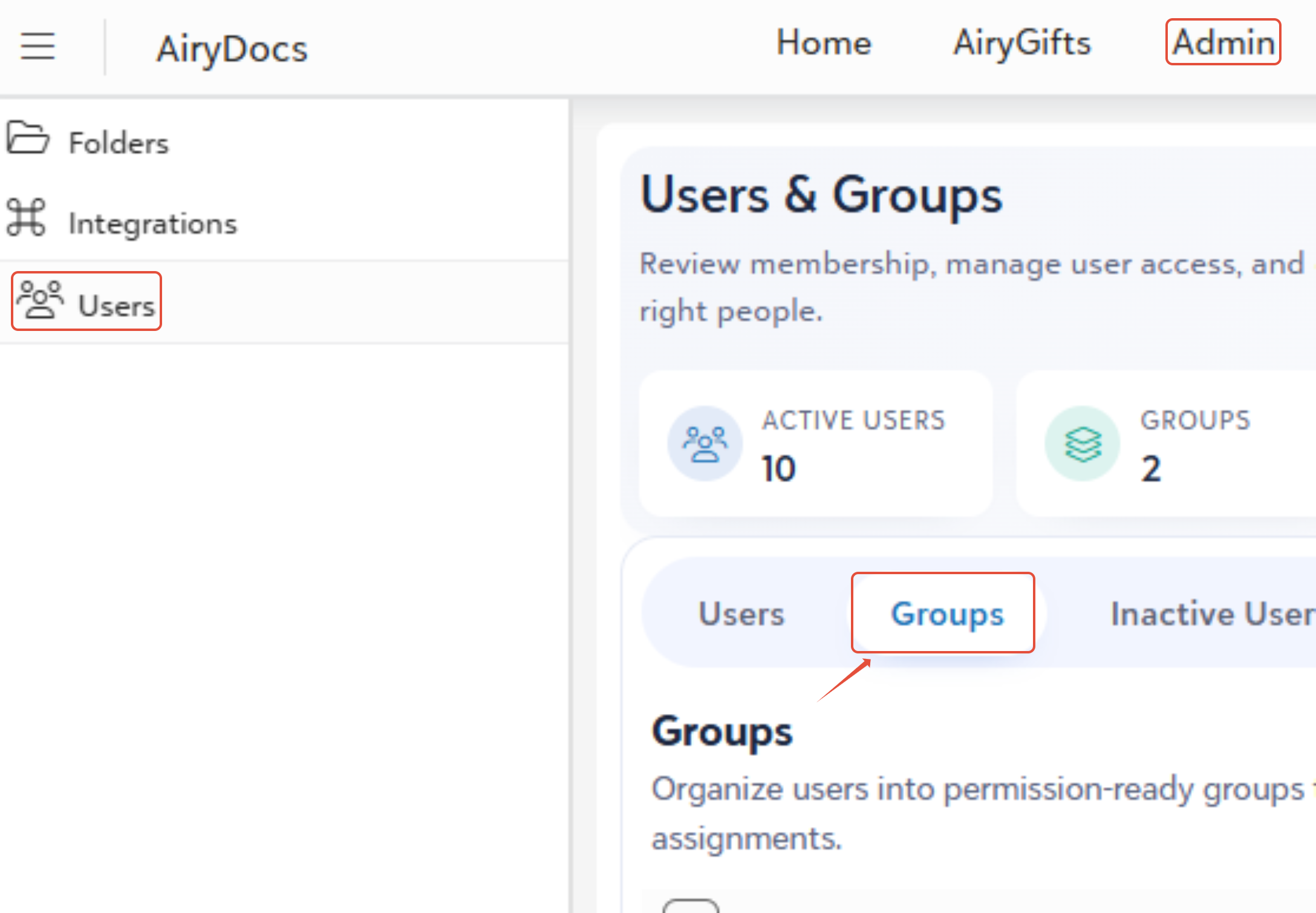
- Login into the AiryDocs portal as an Administrator.
- Navigate to the Admin Panel.
- Select the Groups option.
Creating a New Group:
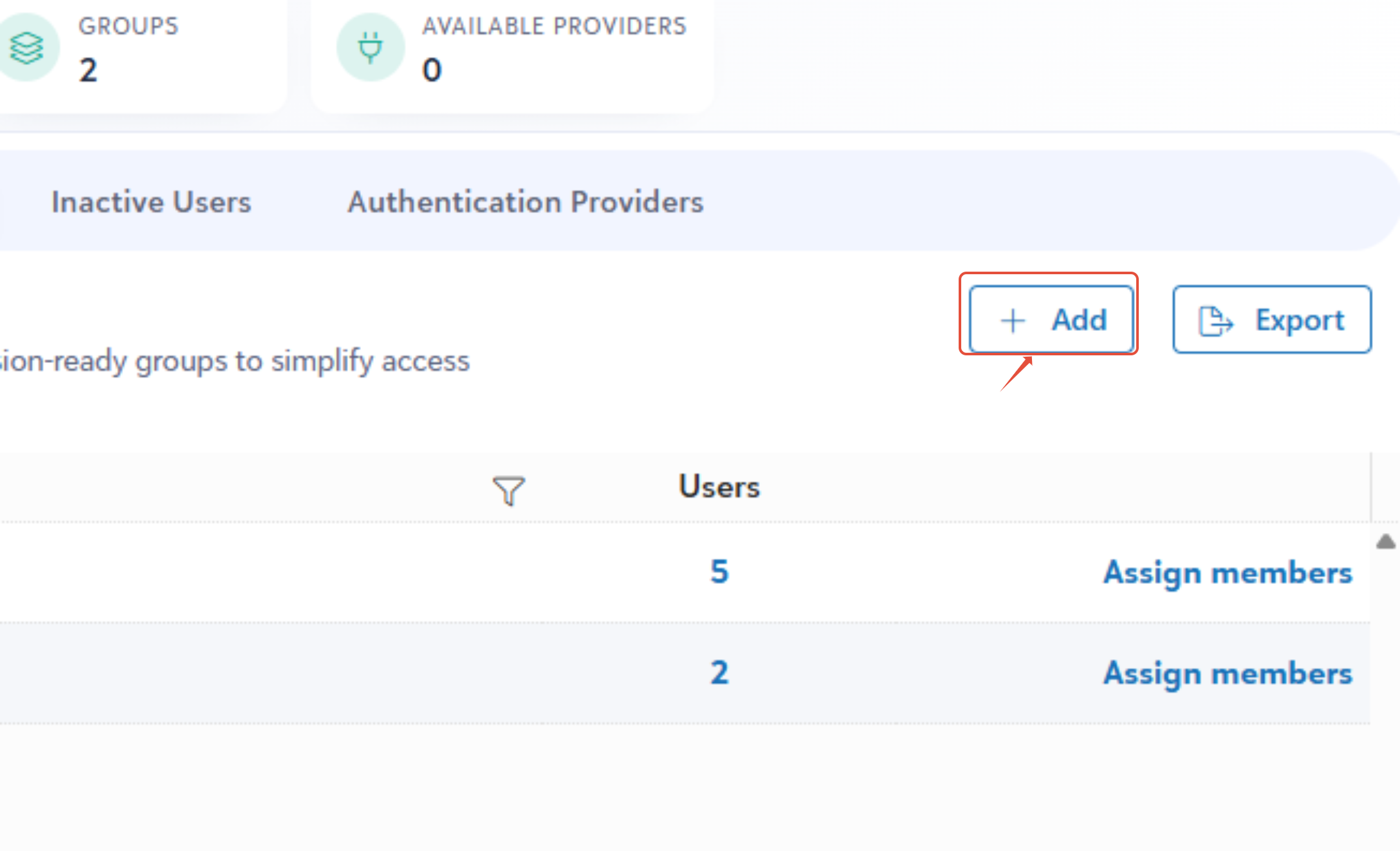
- From the Groups dashboard, click the + Add button.
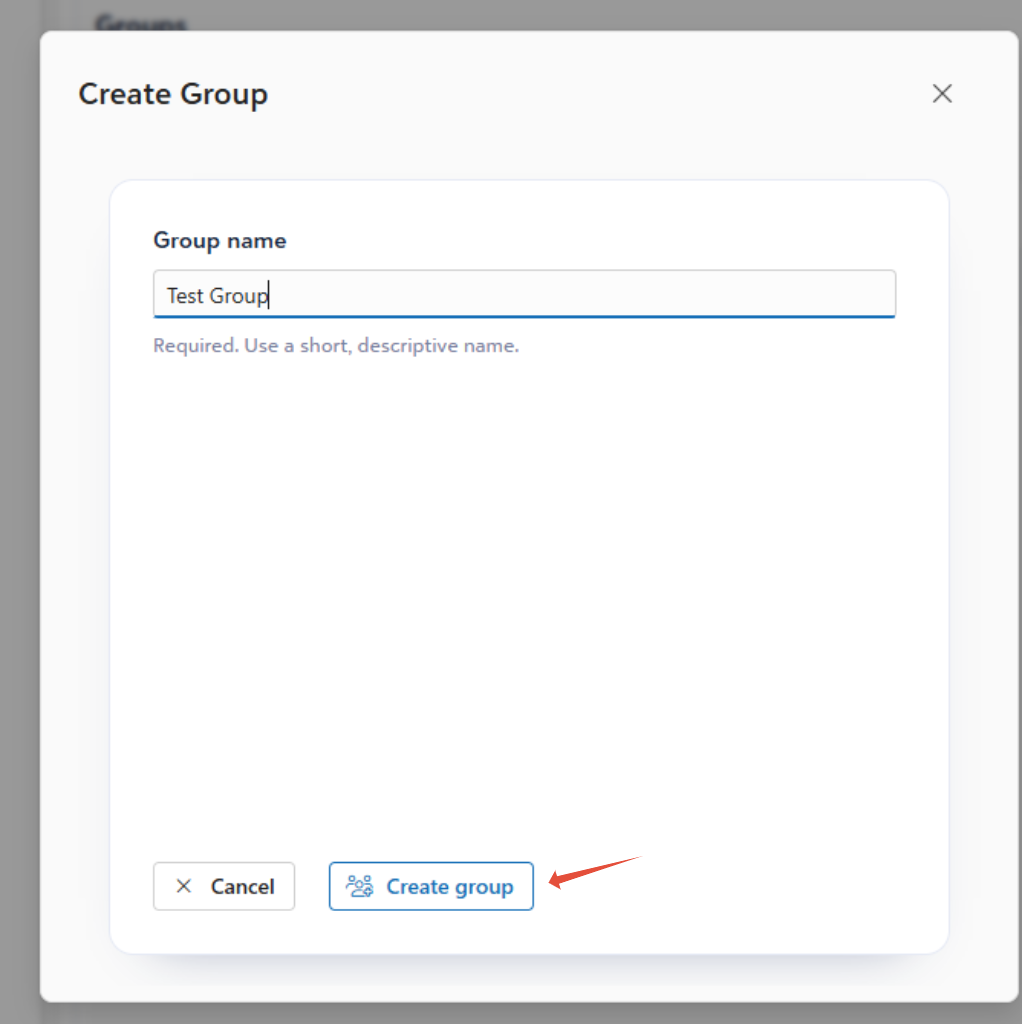
- Enter a unique and descriptive Group Name.
- Click Create group to complete the process.
Assigning Members to a Group
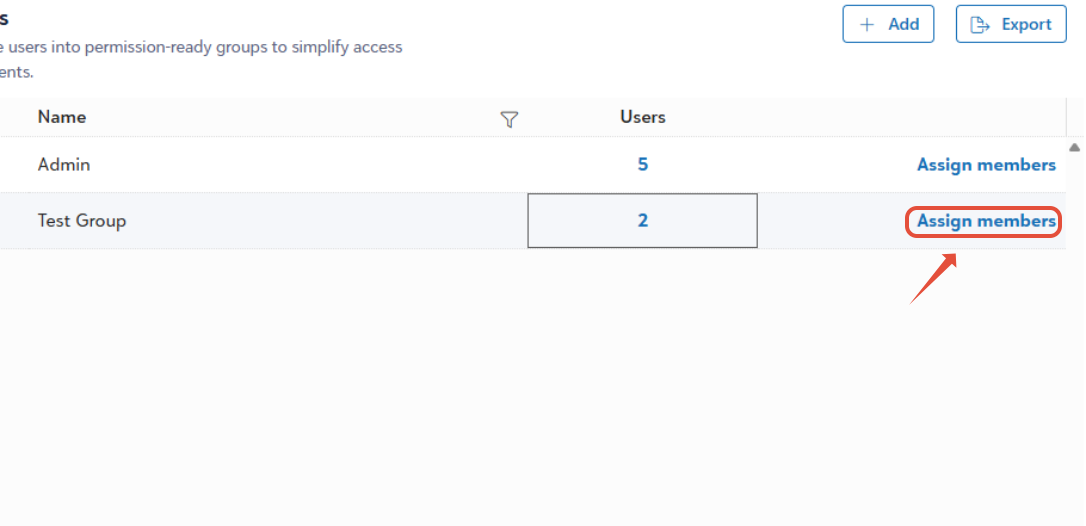
- Locate the desired group from directory.
- Click the Assign members button.
- A dialog box will appear.
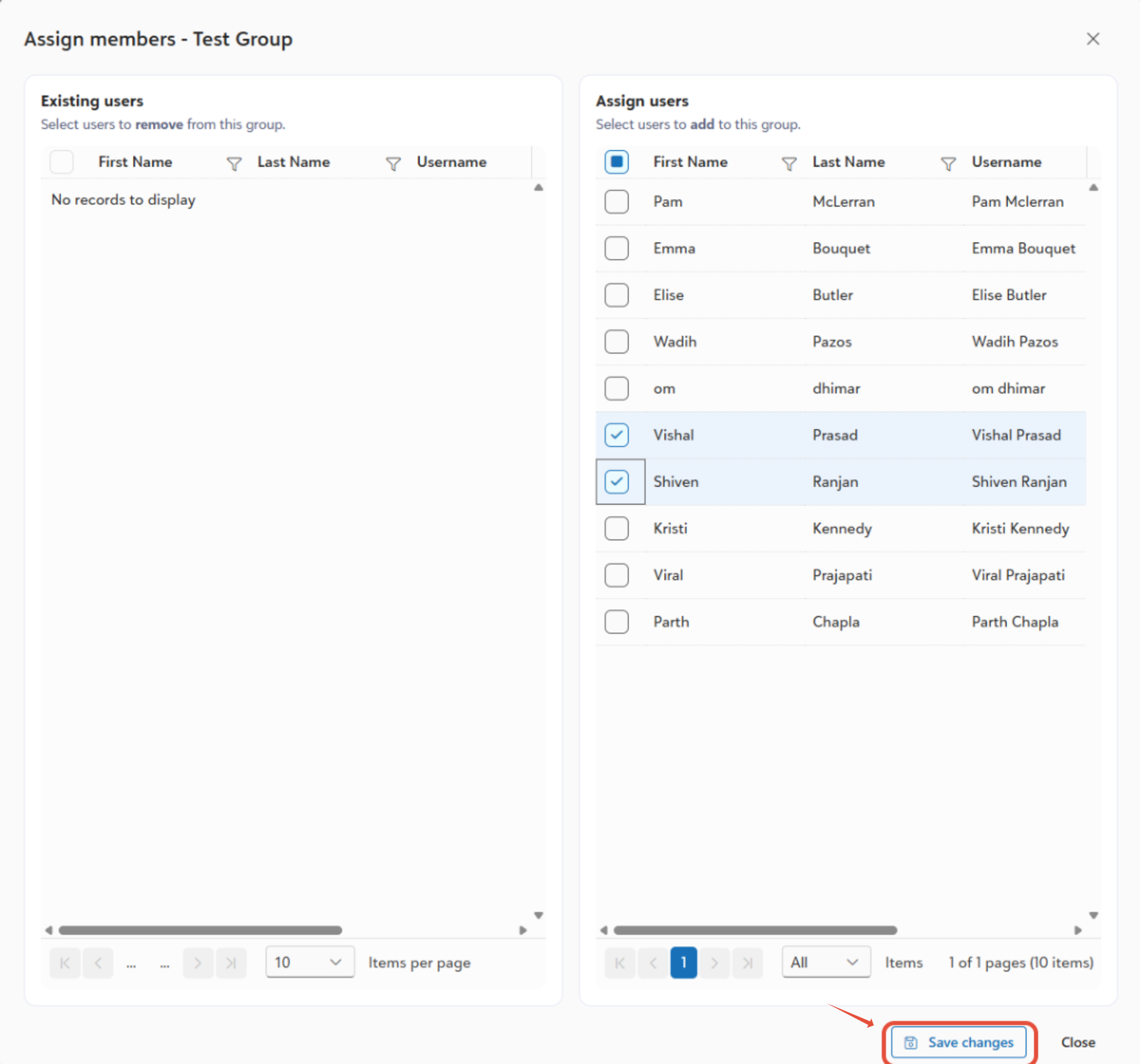
- Search and select one or multiple users from the results.
- Click Save changes to update the group membership.
Group Creation Rules
- Only existing system users can be added to a group.
- Duplicate members within the same group are not allowed. A user can only appear once in a group.
- Members can be removed from a group when necessary.
Was this article helpful?
That’s Great!
Thank you for your feedback
Sorry! We couldn't be helpful
Thank you for your feedback
Feedback sent
We appreciate your effort and will try to fix the article